Best Wall Mounts for Laptop: Top Picks for Ergonomic, Space-Saving Setups
Looking to free up desk space while keeping your laptop at an optimal viewing height? This guide spotlights five wall-mounted laptop mounts that blend ergonomics, versatility, and solid build quality. Each option supports common laptop sizes and multiple monitor heights, helping you tailor your setup for work, study, or gaming. Below you’ll find quick details and direct links to purchase, plus a buying guide to help you choose the right one for your space and usage.
| Product | Brand | Key Feature |
|---|---|---|
| Putilsen Mount 2-in-1 | Putilsen Mount | Adjustable platform, full motion, supports 12-17″ laptops or 17-32″ monitors |
| WALI Laptop Wall Mount (GSWM001LP) | WALI | Full motion arm, fits 10-17″ laptops, 17-32″ monitors; wide tilt/swivel |
| VIVO MOUNT-V001GL | VIVO | Pneumatic counterbalance arm; 10-15.6″ laptops; full motion |
| PUTORSEN 2-in-1 Wall Mount | PUTORSEN | Gas spring 2-in-1; 10-17″ laptops and 17-40″ monitors; full motion |
| UPGRAVITY Wall Mount | UPGRAVITY | 2-in-1 with VESA monitor compatibility; 12-17″ laptops; up to 32″ screens |
Note: All selections are designed to maximize desk space while providing ergonomic reach and adjustable viewing angles. Each product offers a balance between ease of installation, load capacity, and range of motion to accommodate different work environments and setups.
Putilsen Mount 2-in-1 Wall Mount

Putilsen Mount offers a versatile 2-in-1 design with a gas spring-style arm that supports 12-17 inch laptops and 17-32 inch monitors via compatible VESA patterns. The platform width adjusts from 276 to 472 mm, accommodating various laptop sizes, while the height can be raised by up to 250 mm. The mount allows left-right rotation of ±90 degrees to optimize viewing angles. A key feature is the scratch-resistant platform, with corners and contact points padded to gently hold the laptop and prevent surface damage during movement.
WALI Laptop Wall Mount GSWM001LP
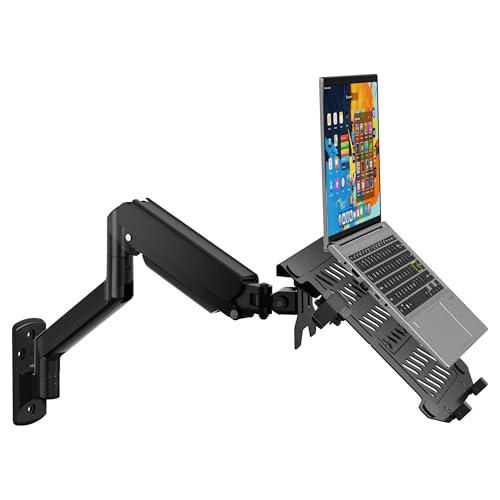
WALI’s full-motion laptop arm is designed for both laptops (10-17″) and larger monitors (up to 32″), with compatibility for 75x75mm or 100x100mm mounting patterns. The gas-spring arm extends from about 16.7″ to 19.3″ and supports tilt from +70° to -45°, plus swivel and rotation for flexible positioning. The design emphasizes space-saving benefits and sturdy construction, helping you tailor ergonomic angles while keeping cable routing tidy.
VIVO MOUNT-V001GL Pneumatic Arm

The VIVO MOUNT-V001GL uses a counter-balance pneumatic arm to lift laptops 10″ to 15.6″ with a weight limit up to 9.9 lbs. It offers +90° to -45° tilt, 180° swivel, and 360° rotation for comprehensive viewing options. A ventilated tray with rubberized clamps helps secure the device and promote airflow, reducing heat buildup during extended use. The system prioritizes desk space savings and ergonomic adaptability at a reasonable load range.
PUTORSEN 2-in-1 Wall Mount
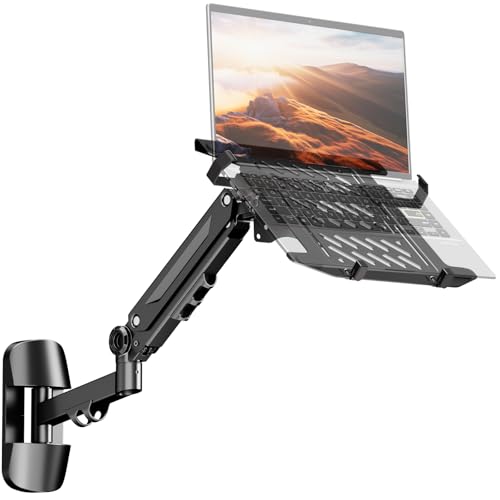
PUTORSEN combines a 2-in-1 capability for laptops (10-17″) and monitors (17-40″) with a robust gas spring arm and full motion range: -90°/+90° rotation and -45°/+45° tilt across a 21.6″ extension. The design emphasizes a sturdy presence with rubber pads to prevent scratches, and a ventilated tray to help keep a laptop cooler during long use. Note that screws for the actual monitor mounting may need to be supplied by the user.
UPGRAVITY 2-in-1 Wall Mount

UPGRAVITY’s 2-in-1 wall mount supports laptops 12-17 inches and monitors 13-32 inches with VESA compatibility (75×75 and 100×100 mm). The gas spring arm extends up to 19.7″ and elevates the laptop to a maximum of 16.34″ high. Tilt ranges ±45°, with 180° swivel and 360° rotation for optimal viewing and typing alignment. An integrated cable management system helps conceal wires for a tidy workspace.
VIVO STAND-SIT1L Sit-Stand Wall Mount

VIVO’s STAND-SIT1L combines monitor and laptop handling on a wall-mount workstation. It accommodates 13″ to 27″ screens and laptops with a tray that holds 11.6″ to 17.3″ devices. The system uses a combination of mechanical and pneumatic springs to adjust height, offering tilt, swivel, and rotation to suit multiple work positions. The dual-function setup is intended for users seeking a wall-mounted solution that transitions between sitting and standing workflows.
CondoMounts LTP8017

The CondoMounts LTP8017 uses a spring-assisted arm designed for 17″–32″ screens and free-tilting VESA compatibility. Its space-saving footprint and heavy-duty build emphasize user control over height and tilt, with a simple DIY installation approach. The design aims to provide a robust solution for busy workspaces that require flexible screen positioning without clutter.
Buying Guide: Key Considerations For Selecting A Laptop Wall Mount
Ergonomics and reach: Choose a mount with a height range and tilt/swivel that align with your average posture. A wider tilt range helps reduce neck strain and glare. For dual-use with monitors, verify VESA compatibility and weight limits for both devices.
Device compatibility: Look for universal or clearly stated ranges (10-17″, 12-17″, 17-40″ monitors, etc.). Confirm load capacity to ensure your laptop’s weight is supported safely. If you also plan to mount a monitor, verify VESA patterns (75x75mm or 100x100mm).
Installation and space: Wall-mounts vary in complexity. Some offer DIY-friendly mounting with simple plates, while others require more precise alignment. Consider walls (drywall, studs) and whether you need cable management integrated into the arm.
Motion and stability: Gas spring and pneumatic arms provide smooth, controllable motion but may differ in speed and resistance. Check for lock-in positions and anti-scratch padding to protect devices during movement.
Durability and material: Steel or reinforced aluminum builds typically offer higher load capacities and longer lifespans. Padding and rubber clamps help prevent surface damage and improve device security.
Future-proofing: If you anticipate upgrading to larger laptops or adding a second display, pick a model with a generous extension, tilt, and extension range. Modular options can simplify upgrades.